

A mastering engineer can do a lot with a great mix. But we can’t “unmix” problems that are baked in - and the fixes that are possible often come with trade-offs you probably don’t want.
If you want your master to come back louder, cleaner, wider, and more consistent across systems without losing impact, the goal is simple: deliver a mix that’s stable, balanced, and not already fighting a limiter. That’s what makes mastering efficient, musical, and predictable.
What “how to prepare a mix for mastering” really means
When people ask how to prepare a mix for mastering, they’re usually looking for a checklist. That can help, but the bigger idea is this: mastering is the final quality-control stage and translation stage. It’s where we optimize tone, dynamics, width, and level so your song competes commercially and holds up everywhere - phone speakers, cars, club systems, earbuds, and broadcast chains.
The preparation part is about removing obstacles. If your mix is clipped, over-limited, or has uncontrolled low end, the master can end up sounding smaller when you push it. If your mix is balanced and has clean headroom, the master can get bigger without getting harsh.
Leave real headroom (and don’t chase loud in the mix)
The most common mastering issue is a mix that’s already “mastered” with a brickwall limiter, aggressive clipping, or heavy bus compression that can’t be undone. You can absolutely mix into compression if that’s part of your sound - but the moment you’re squeezing the life out of the transients just to hit a number on the meter, you’re making mastering harder.
A practical target: deliver your final mix with peaks somewhere around -6 dBFS (give or take) and no clipping on the stereo bus. If your peaks are -3 dBFS but it’s clean and dynamic, that can still be workable. If your peaks are -9 dBFS but it’s pumping from a limiter, that’s not “better.” Headroom is only valuable when it’s paired with dynamics.
Also pay attention to true peak overs. Even if your DAW meter says you’re under 0 dBFS, intersample peaks can still cause distortion later. The safest approach is simple: no clipping, no limiter on the mix bus unless it’s purely for vibe and you’ve confirmed it isn’t pinning the signal.
Print the mix without stereo-bus limiting (and be honest about your sound)
If you love what your mix-bus chain is doing, you don’t have to throw it away. The key is knowing what’s essential versus what’s just there to make the mix feel finished.
If the chain is mostly tone (a gentle EQ tilt, light compression, a touch of tape flavor), you can usually keep it. If it’s primarily level control (hard limiting, heavy clipping), consider printing two versions: one “as mixed” and one with the limiter bypassed. That gives the mastering engineer options and protects you from the classic scenario where the mastered version comes back less punchy because there was nowhere left to go.
Good mastering is collaborative. If you’re attached to a sound, communicate it - references help - but don’t force loudness at the mix stage.
Check your low end like it’s going to get tested (because it will)
Low end is where mixes fall apart in mastering. Not because bass is bad - because bass is powerful. A little too much 40-80 Hz, a kick and bass fighting each other, or stereo information down low can translate into a master that distorts earlier, hits limiters harder, and loses clarity.
Before you print the mix, do a few reality checks:
First, listen quietly. If the bass disappears, it’s probably too sub-heavy and not enough definition in the upper bass or low mids. If the bass dominates at low volume, it’s probably too loud.
Second, check mono compatibility. If your low end changes drastically in mono, you likely have stereo widening or phase issues in the bass region. Many mixes benefit from keeping the very low frequencies centered.
Third, compare to a reference you trust in a similar style. Don’t match it blindly - different arrangements need different balances - but use it to sanity-check your low-end weight and kick-to-bass relationship.
Tame harshness before it becomes “mastering harshness”
A lot of people blame mastering for harsh vocals, brittle cymbals, and aggressive 2-5 kHz. In reality, mastering often reveals what’s already there. When you push overall level, the most sensitive parts of the spectrum feel louder faster.
If your vocal is right on the edge, or your hi-hat is poking out, address it in the mix where you have isolation. A mastering EQ can’t turn down only the harsh hi-hat without also affecting guitars, vocal presence, and snare snap living in the same zone.
This is where subtle de-essing, dynamic EQ on specific tracks, and smarter arrangement decisions pay off. If you can reduce the “sting” while keeping the excitement, your master will get louder with fewer compromises.
Keep your mix bus clean and predictable
Mastering engineers love mixes that behave. That doesn’t mean flat or boring - it means stable.
If your mix bus is reacting wildly to the kick, it can cause the whole song to duck in a way that gets worse when mastering adds level. If you’re hitting a compressor 6-10 dB on the chorus and 1-2 dB in the verse, the mastering stage has to work around that movement.
A good rule: if the mix feels exciting without relying on the stereo bus to “glue” every transient, you’re in a strong place. If the mix falls apart when you bypass the bus chain, that’s a sign the balance may need work upstream.
Use clean exports: sample rate, bit depth, and file type
For most projects, the cleanest deliverable is straightforward: export a stereo interleaved WAV (or AIFF) at the same sample rate as your session, at 24-bit (or 32-bit float if your DAW supports it well). Avoid MP3 or any lossy format for mastering.
Don’t upsample “for quality.” If you tracked and mixed at 48 kHz, export at 48 kHz. If it’s 44.1 kHz, keep it 44.1 kHz. The mastering stage can handle final sample-rate conversion if needed for CD or specific deliverables.
Also, turn off normalization. Normalization is just automated gain - it doesn’t improve sound, and it can reduce headroom if you’re not careful.
Don’t dither unless you’re delivering 16-bit
Dither is only needed when reducing bit depth, typically from 24-bit to 16-bit for CD-ready audio. If you’re exporting a mix for mastering at 24-bit or 32-bit float, don’t dither. Let mastering handle bit-depth changes at the end of the chain.
If you’re not sure whether you dithered, it’s not the end of the world. But for clean, predictable mastering, keep the mix export simple and high resolution.
Print stems only if there’s a real reason
Stem mastering can be a lifesaver when a mix has one or two issues that can’t be fixed without remixing - for example, vocal level automation that’s too extreme, or a bass relationship that needs small correction without changing the whole mix.
But stems are not a shortcut for finishing a mix. If you’re considering stems because you’re unsure about balances, you’ll get a better result by tightening the mix first. When stems are necessary, label them clearly, include effects returns where relevant, and make sure the stems sum to your stereo mix with no processing surprises.
Build in a last-pass QC listen (outside your studio bubble)
Before you send anything out, take 20 minutes and do a “translation lap.” Listen on at least two systems you don’t mix on all day - a car, earbuds, a small Bluetooth speaker, a living-room system. You’re not remixing everything; you’re hunting obvious problems.
Pay attention to three things: vocal intelligibility, low-end control, and whether the chorus actually feels bigger. If the hook doesn’t lift, mastering can enhance impact, but it can’t rewrite arrangement and automation decisions.
If you hear one issue everywhere, fix it. If you hear a tiny issue on one system only, be careful - chasing every playback quirk can make your mix worse.
Include references and clear notes (and keep them practical)
A reference track is helpful when it answers a specific question: “How bright should this be?” “How wide is the chorus?” “How forward is the vocal?”
Send one to three references in the same ballpark genre-wise. Don’t send ten. And don’t ask to match a reference that’s clearly a different aesthetic or era unless you’re intentionally aiming for that contrast.
Then include notes that are actionable. “Make it hit like a major label record” is understandable, but it’s not specific. “Keep the kick punchy, don’t make the vocal darker, and don’t squash the snare” gives the engineer something to protect.
One clean deliverable beats five questionable ones
Engineers sometimes receive multiple “final” mixes with tiny variations: one with a limiter, one without, one with a different vocal ride, one with different drum bus compression. Options can help, but too many can slow down decisions and approvals.
If you’re unsure, send two versions max and explain why. Most of the time, the best move is to send your true final mix - just not clipped, not pinned, and not fighting for loudness.
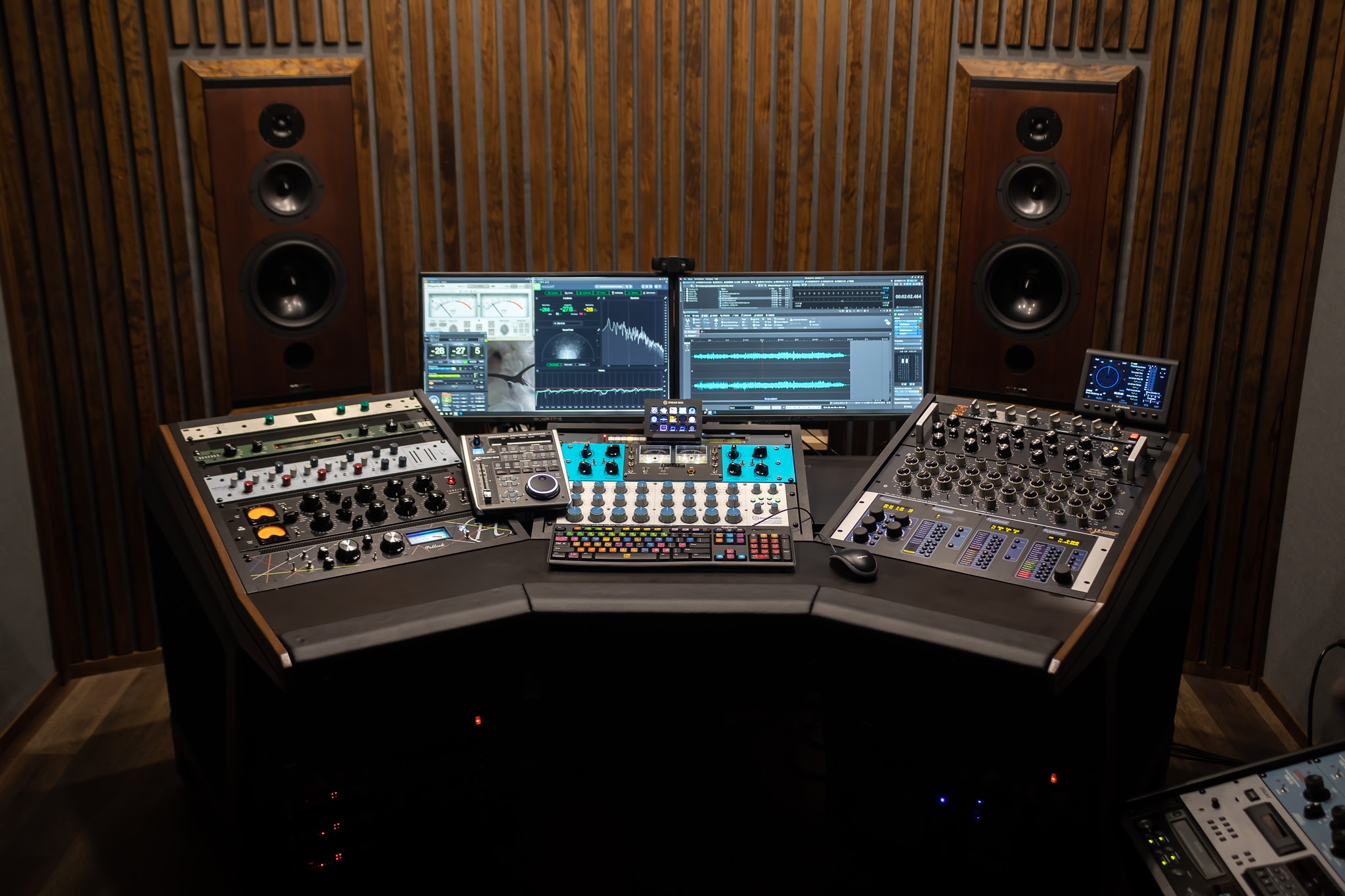
If you want an objective checkpoint before release, a pro mix evaluation can save you revisions later. At LB-Mastering Studios, we often catch small mix translation issues early, then master through an analog chain for depth and punch while still delivering modern, release-ready formats.
Closing thought
The best mixes to master aren’t the ones that look perfect on a meter - they’re the ones that feel confident without forcing it. Give your song room to breathe, make your balances deliberate, and send a clean export you’d be proud to put your name on. That’s when mastering stops being damage control and starts being the final polish your track actually deserves.